> ## Documentation Index
> Fetch the complete documentation index at: https://smartcar.com/docs/llms.txt
> Use this file to discover all available pages before exploring further.
# Important Updates
> Updates regarding the Volkswagen Smartcar Integration.
## May 20th, 2026
Smartcar's partnership with Volkswagen Group spans all Smartcar-supported regions (US, Canada, and Europe). In the US and Canada, drivers of Volkswagen and Audi vehicles connect through Volkswagen's official consent flow as part of Smartcar Connect. In Europe, the same flow extends to Volkswagen, Audi, ŠKODA, CUPRA, and SEAT BEV and PHEV vehicles.
### Capabilities
With this integration, you can:
* **Monitor charging status:** Get close to real-time visibility into charging state, plug connection, charging power, and time to complete.
* **Track battery and range:** Read state of charge, remaining electric range, and nominal battery capacity.
* **Control charging remotely:** Start and stop charging sessions on demand.
* **Read odometer:** Total distance traveled.
### Commands
* Charge Start
* Charge Stop
### Coverage
The Volkswagen Group integration is available across all Smartcar-supported regions (US, Canada, and Europe). In Europe, the integration is available for Battery Electric (BEV) and Plug-in Hybrid Electric (PHEV) vehicles.
For data and command availability by make, model, year, region, and powertrain type, see the [compatibility matrix](https://smartcar.com/product/compatible-vehicles).
### Consent Flow
Vehicle owners grant consent through Volkswagen's official portal as part of the Smartcar Connect flow. The exact steps differ by region.
#### United States and Canada
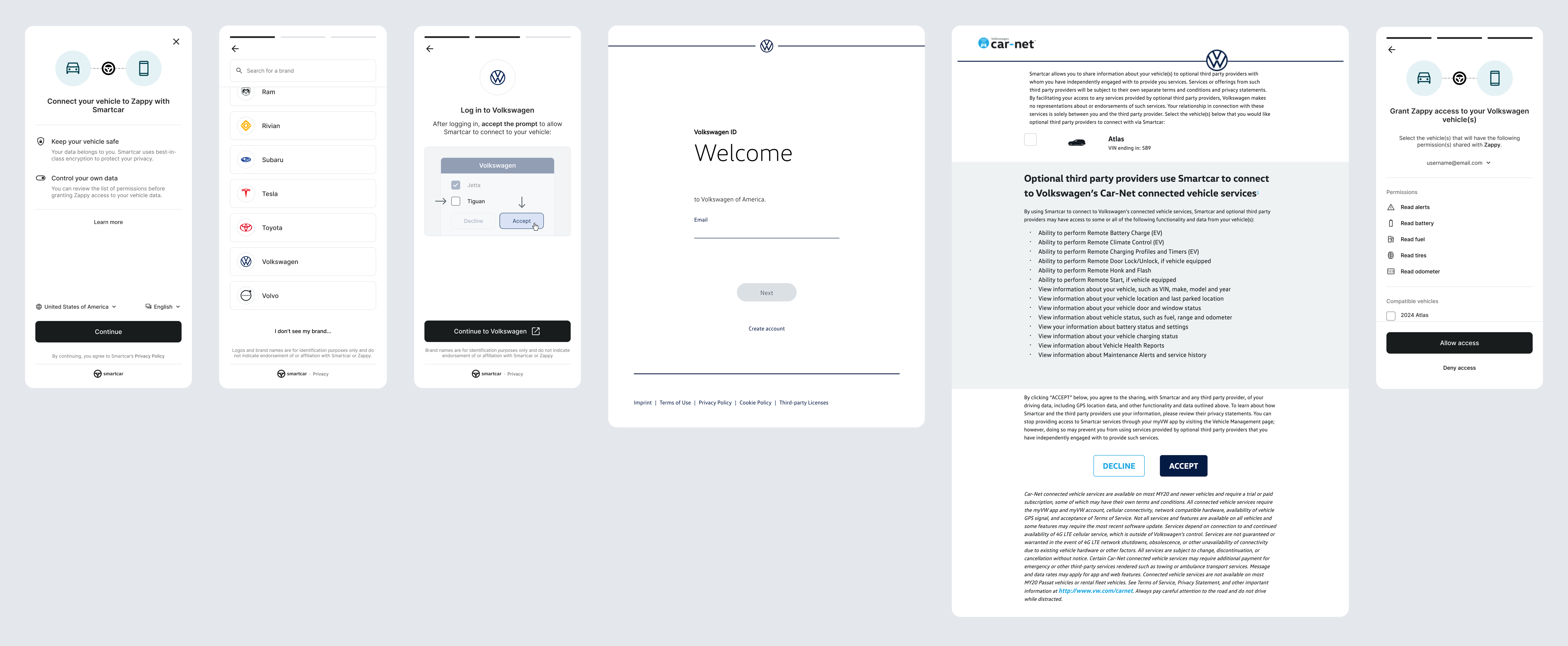
Vehicle owners are redirected to Volkswagen's login page to authenticate, select their vehicles, and accept Volkswagen's terms.
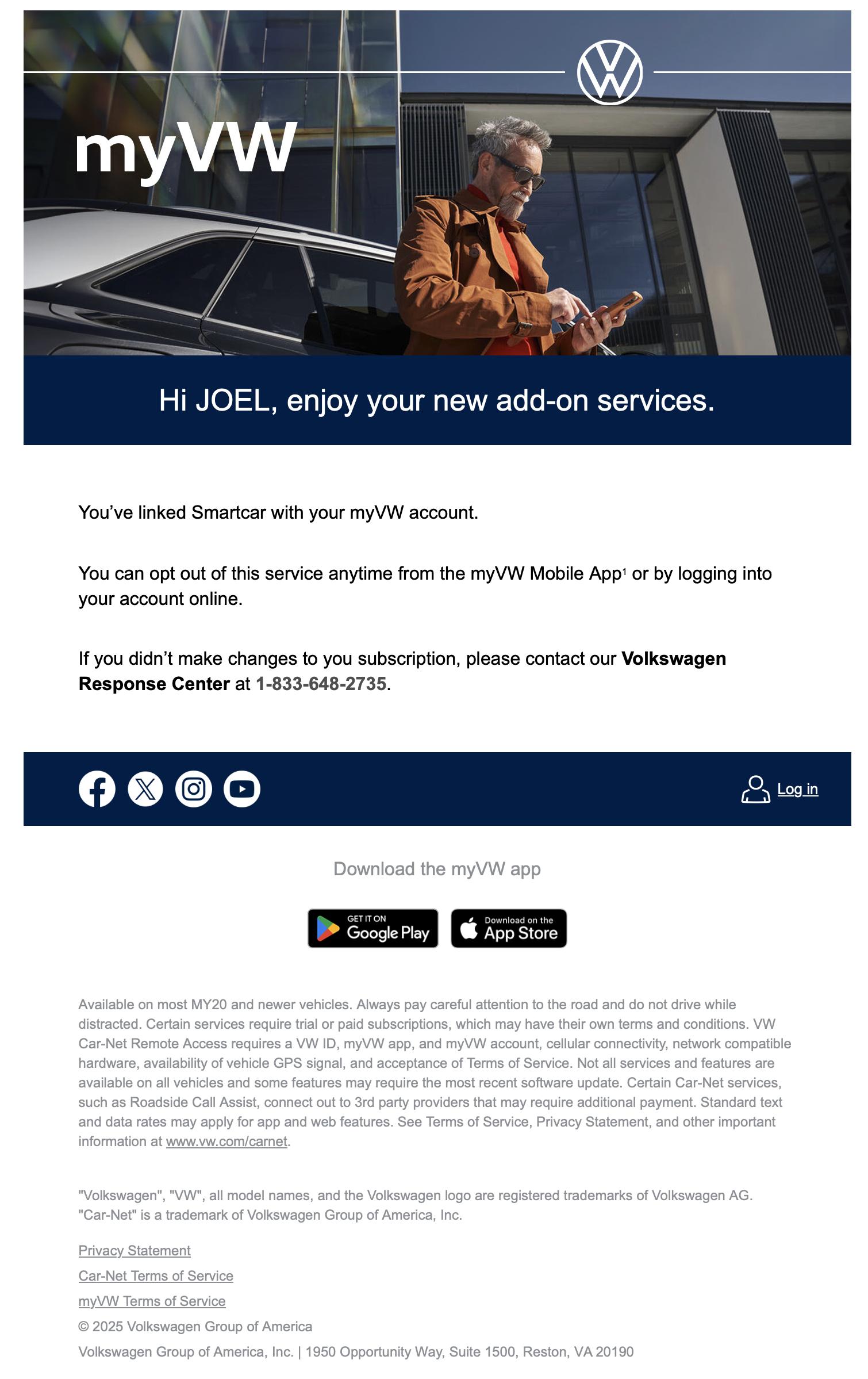
 After completing the flow, vehicle owners will receive an email from Volkswagen notifying them of new services being added to their account.
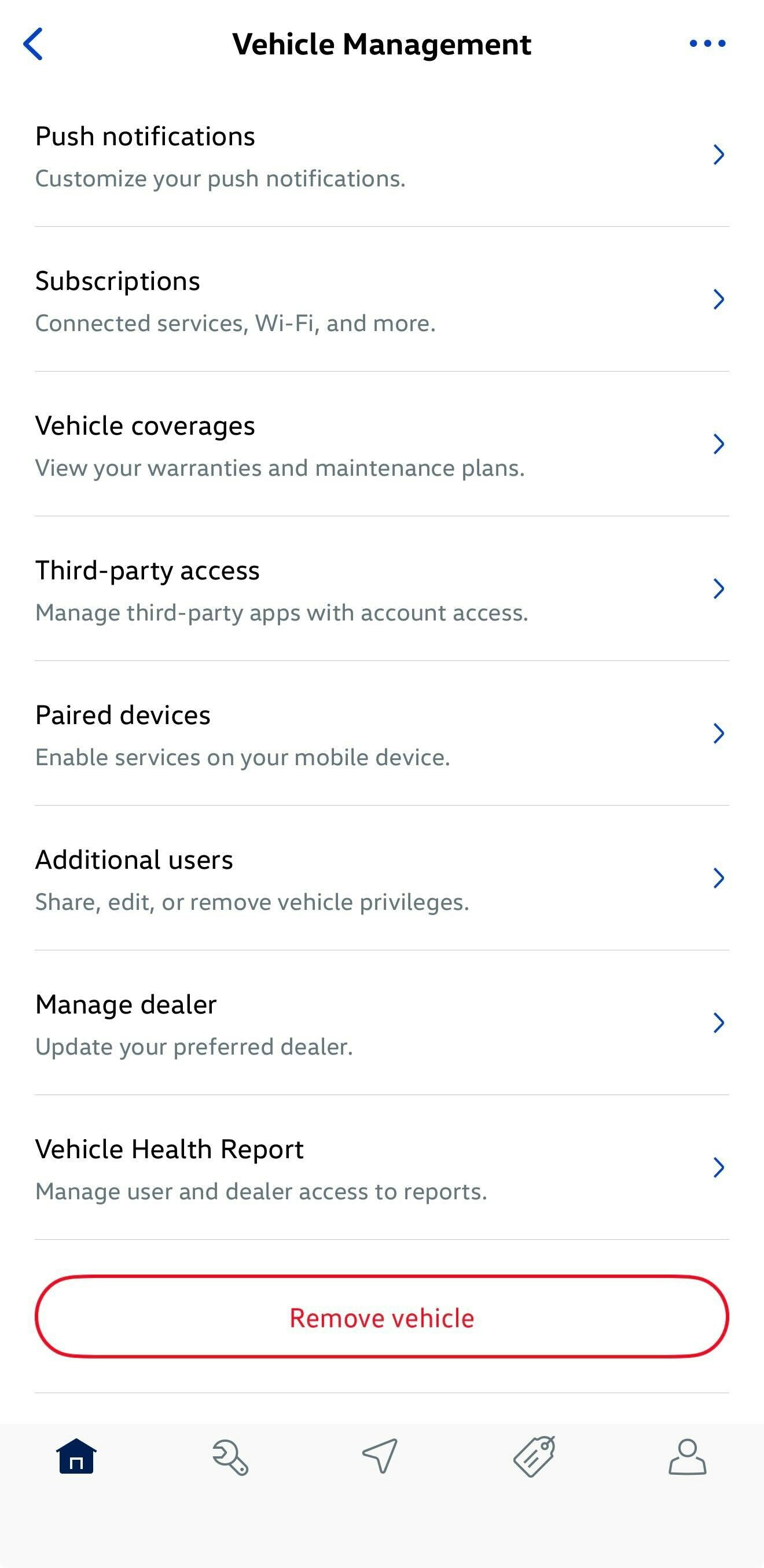
 Vehicle owners can revoke access to Smartcar-powered applications at any time through the myVW Mobile App or by logging into their Volkswagen account online.
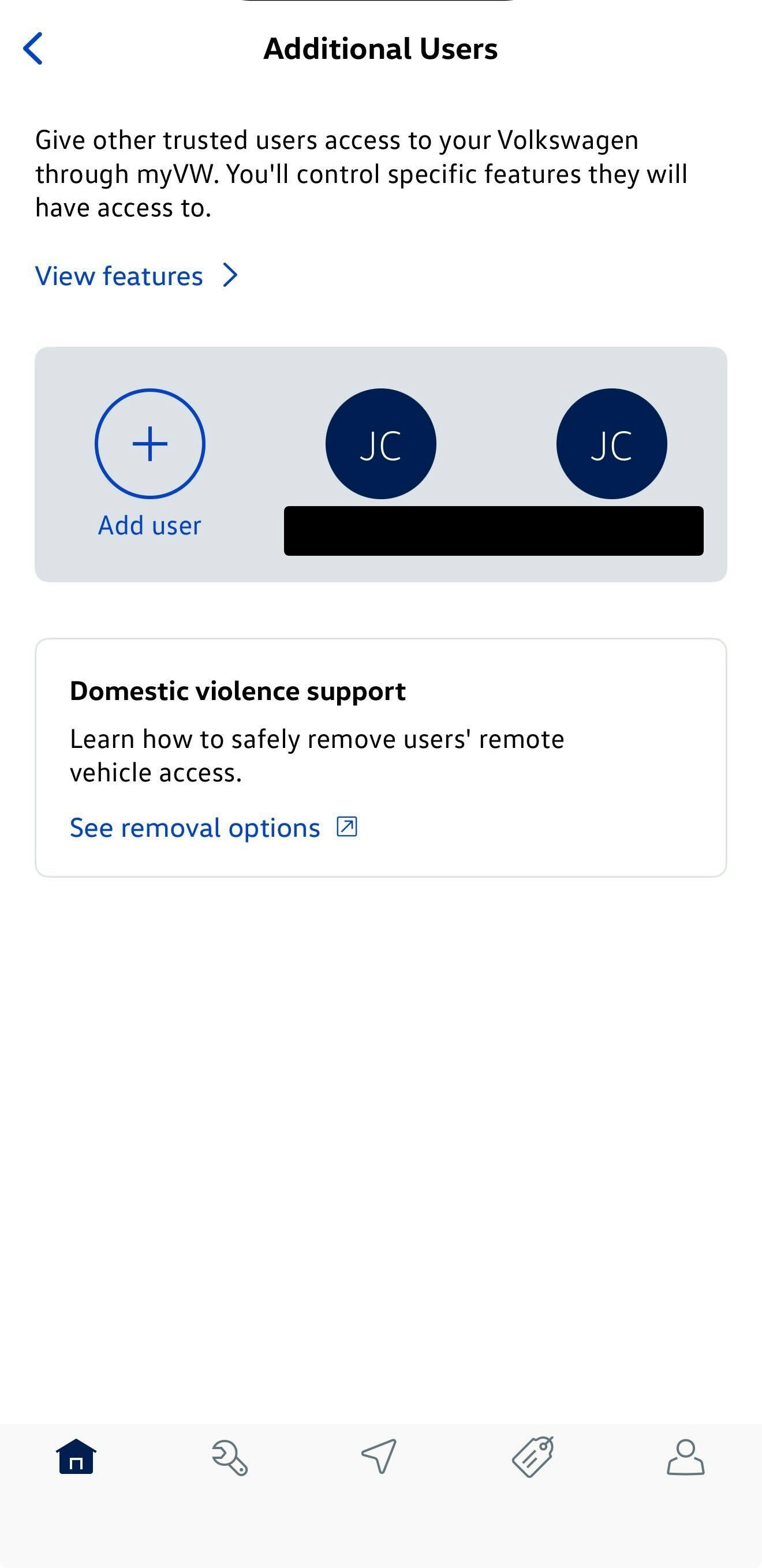
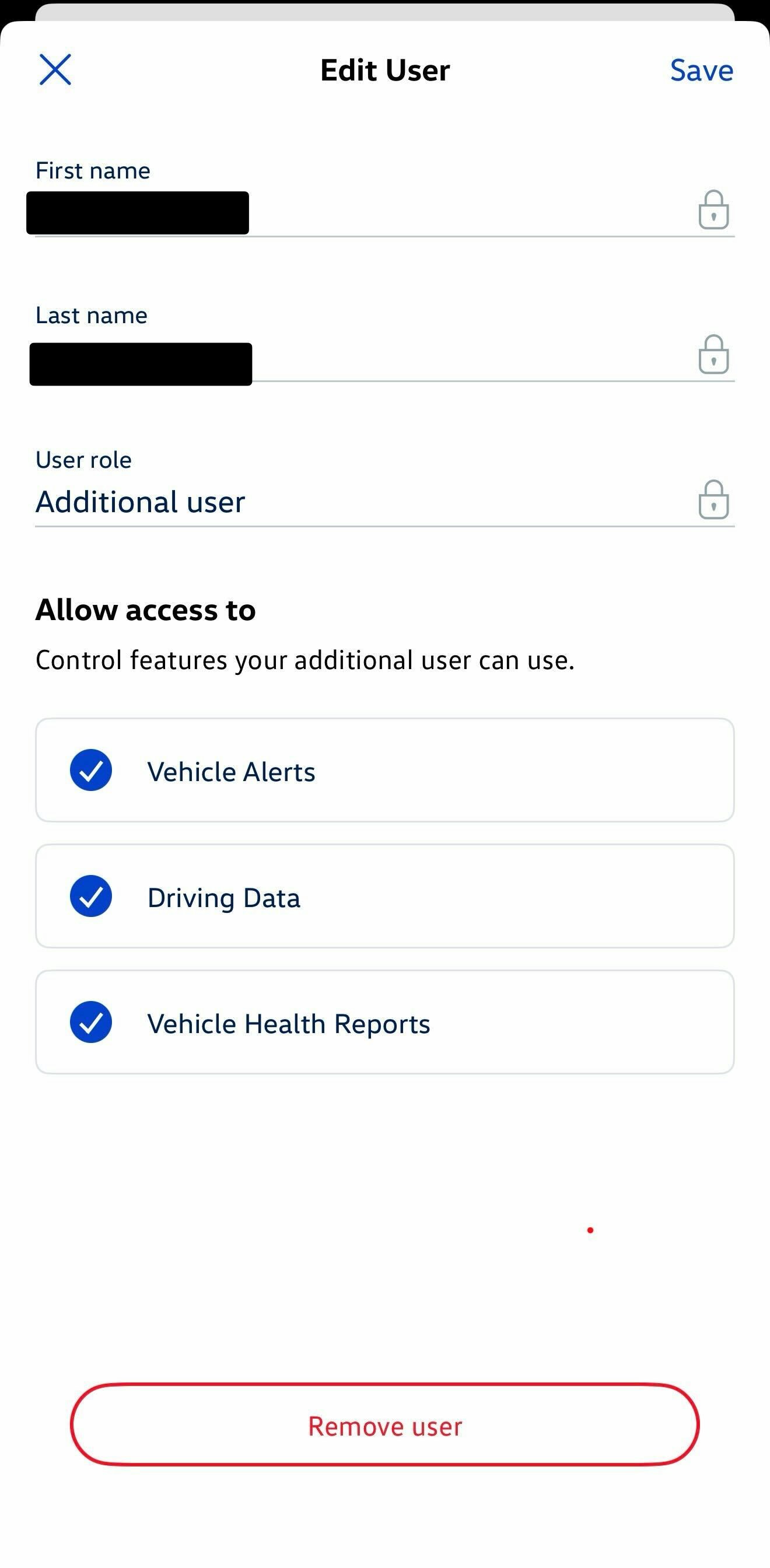
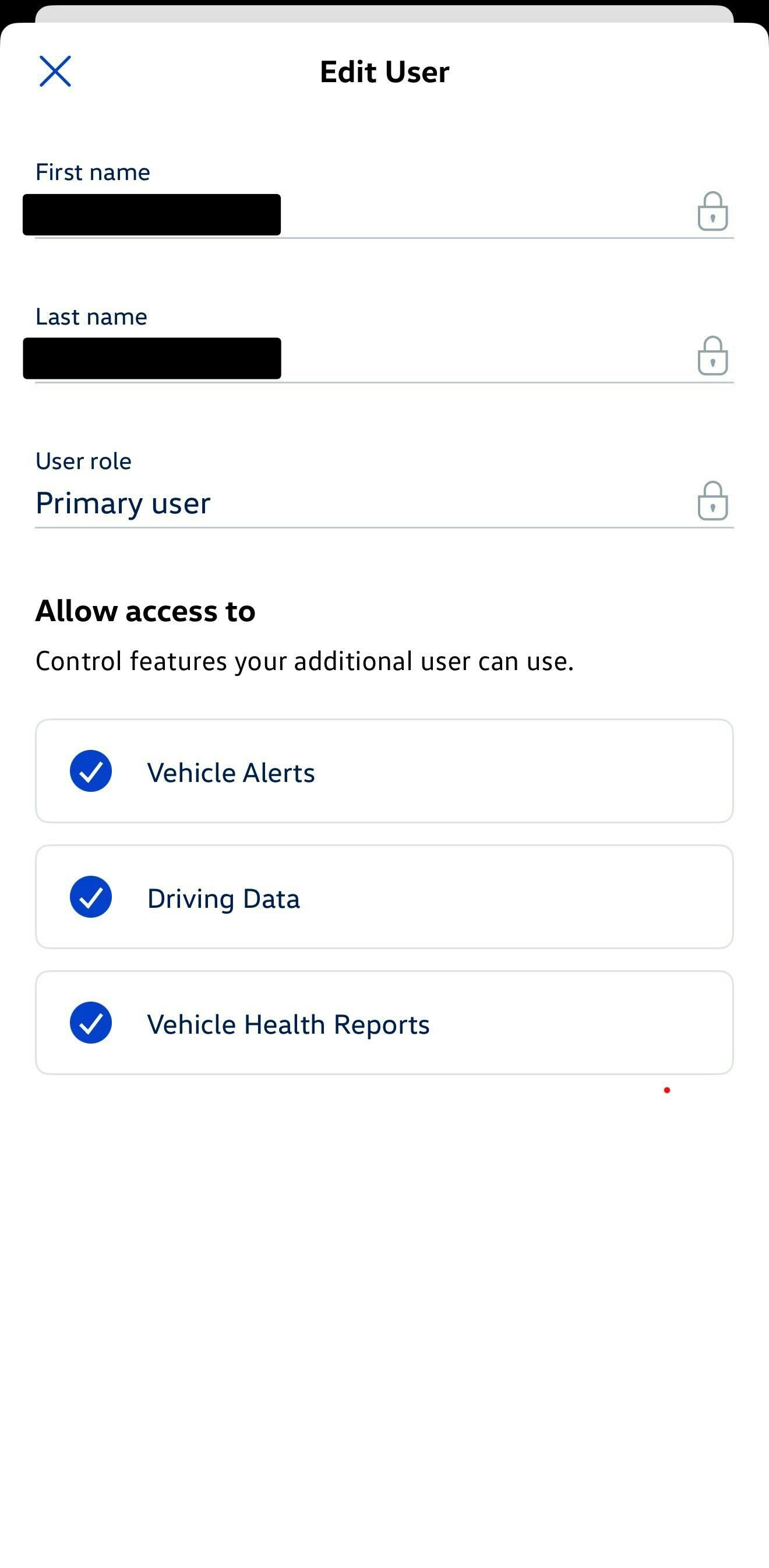
Drivers can check their role in the myVW app by navigating to **Account > Vehicle Management > Additional Users**. The primary driver is labeled as "Primary user".
Vehicle owners can revoke access to Smartcar-powered applications at any time through the myVW Mobile App or by logging into their Volkswagen account online.
Drivers can check their role in the myVW app by navigating to **Account > Vehicle Management > Additional Users**. The primary driver is labeled as "Primary user".
 #### Europe
Drivers can use their connected services account credentials to authenticate. In some cases, drivers may be asked to provide their Vehicle Identification Number (VIN) and current odometer reading as an alternate authentication method.
### Notes
* Only the primary account holder on the Volkswagen account can authorize access. Secondary drivers cannot complete the consent flow.
* For data freshness and polling frequency, see [Data frequencies for Volkswagen](/help/frequencies).
#### Europe
Drivers can use their connected services account credentials to authenticate. In some cases, drivers may be asked to provide their Vehicle Identification Number (VIN) and current odometer reading as an alternate authentication method.
### Notes
* Only the primary account holder on the Volkswagen account can authorize access. Secondary drivers cannot complete the consent flow.
* For data freshness and polling frequency, see [Data frequencies for Volkswagen](/help/frequencies).