> ## Documentation Index
> Fetch the complete documentation index at: https://smartcar.com/docs/llms.txt
> Use this file to discover all available pages before exploring further.
# Dashboard Configurations
## Customizing Connect
You can customize the Smartcar Connect flow to match your brand and user experience.
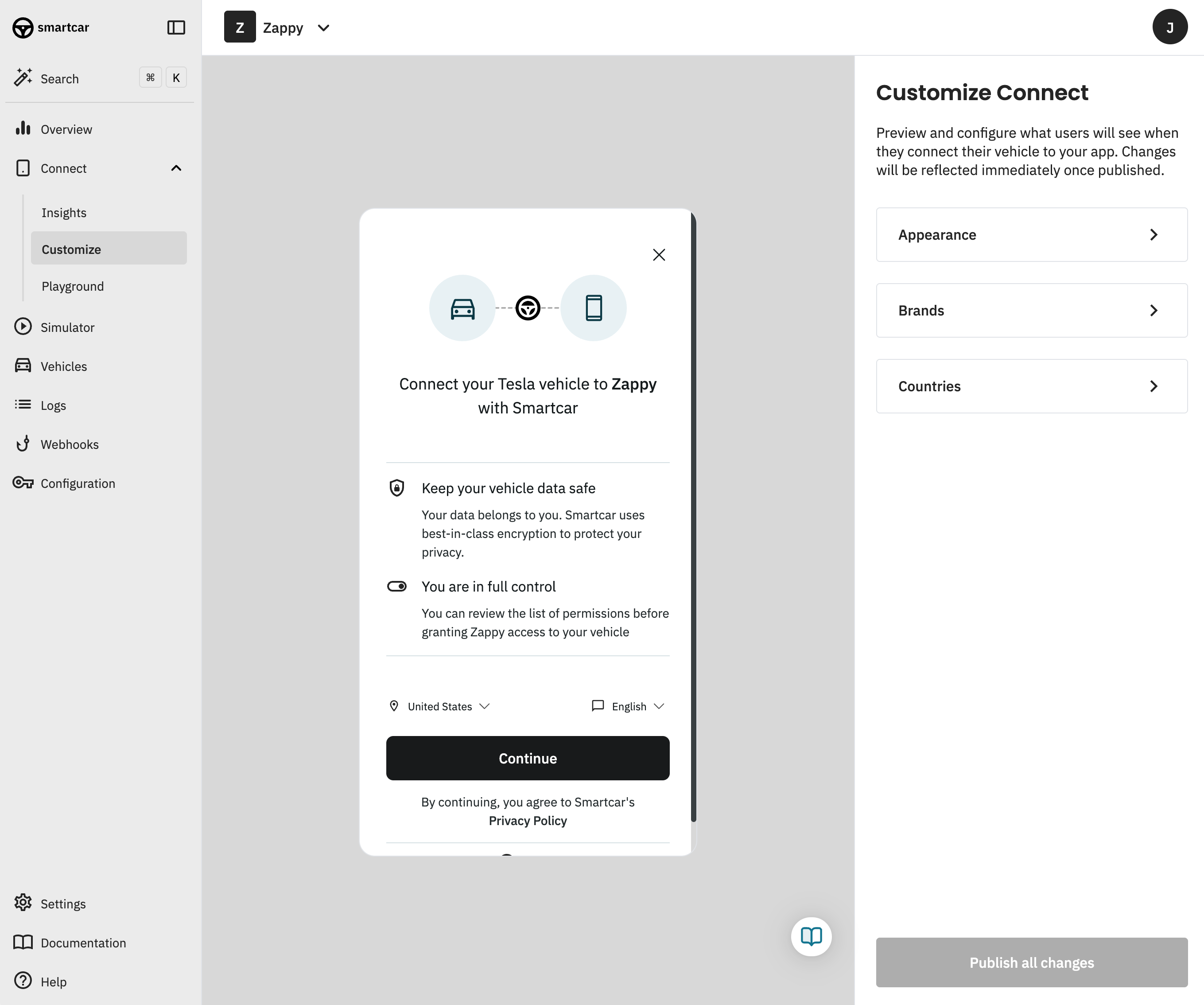 From the dashboard, you can specify which brands you'd like to present to your customers and in which order.
These changes apply only when launching Connect in [default mode](/connect/advanced-config/flows).
### Appearance
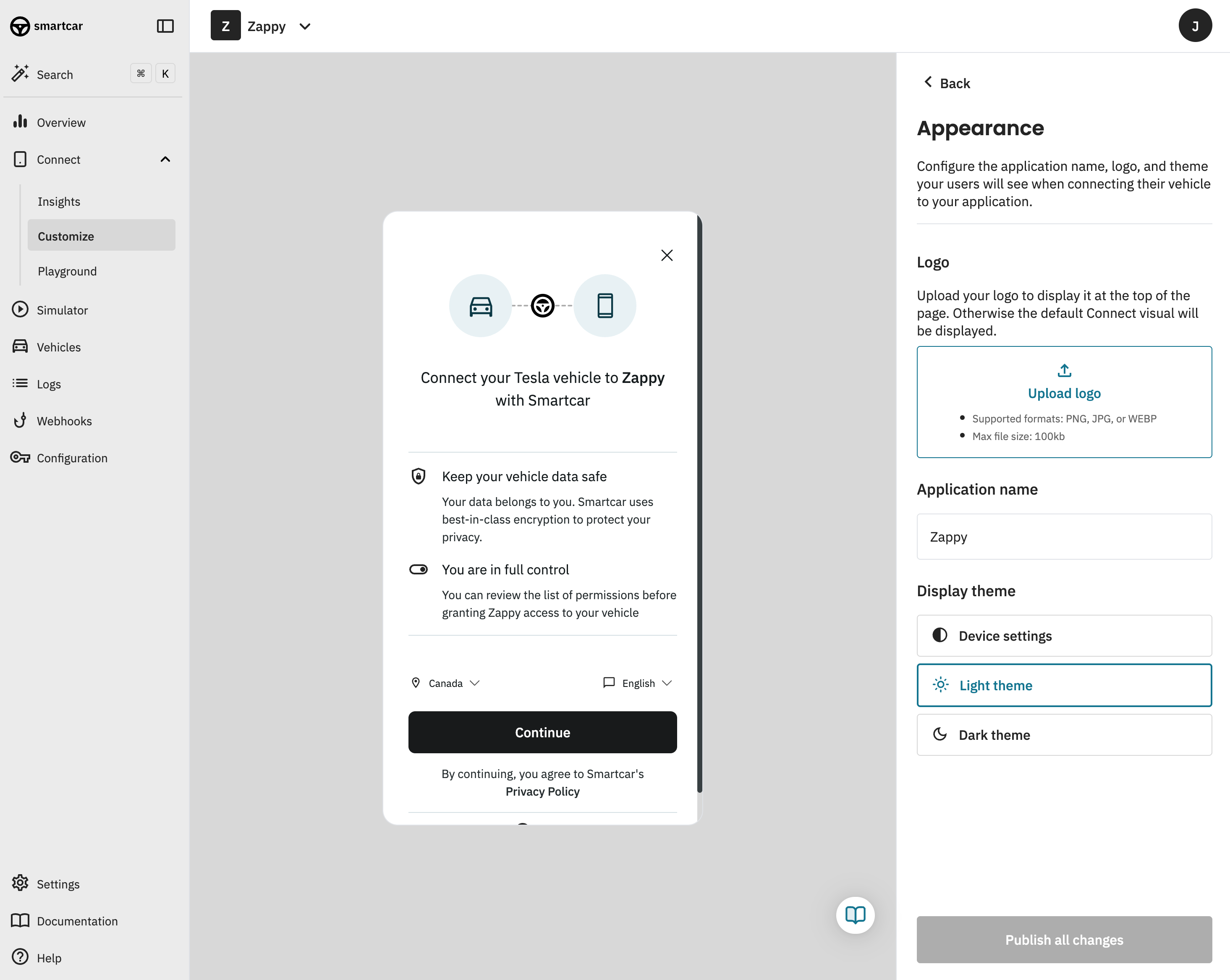
You can customize the appearance of the Smartcar Connect flow to match your brand. This includes:
* **Logo**: Upload your logo to be displayed in the Smartcar Connect flow.
* **Brand Name**: Set the name of your brand to be displayed in the Smartcar Connect flow.
* **Brand Icon**: Upload an icon to be displayed in the Smartcar Connect flow.
* **Display Theme**: Select the theme of the Smartcar Connect flow. This includes light, dark, and auto (which will follow the user's system preference).
From the dashboard, you can specify which brands you'd like to present to your customers and in which order.
These changes apply only when launching Connect in [default mode](/connect/advanced-config/flows).
### Appearance
You can customize the appearance of the Smartcar Connect flow to match your brand. This includes:
* **Logo**: Upload your logo to be displayed in the Smartcar Connect flow.
* **Brand Name**: Set the name of your brand to be displayed in the Smartcar Connect flow.
* **Brand Icon**: Upload an icon to be displayed in the Smartcar Connect flow.
* **Display Theme**: Select the theme of the Smartcar Connect flow. This includes light, dark, and auto (which will follow the user's system preference).
 ### Brands
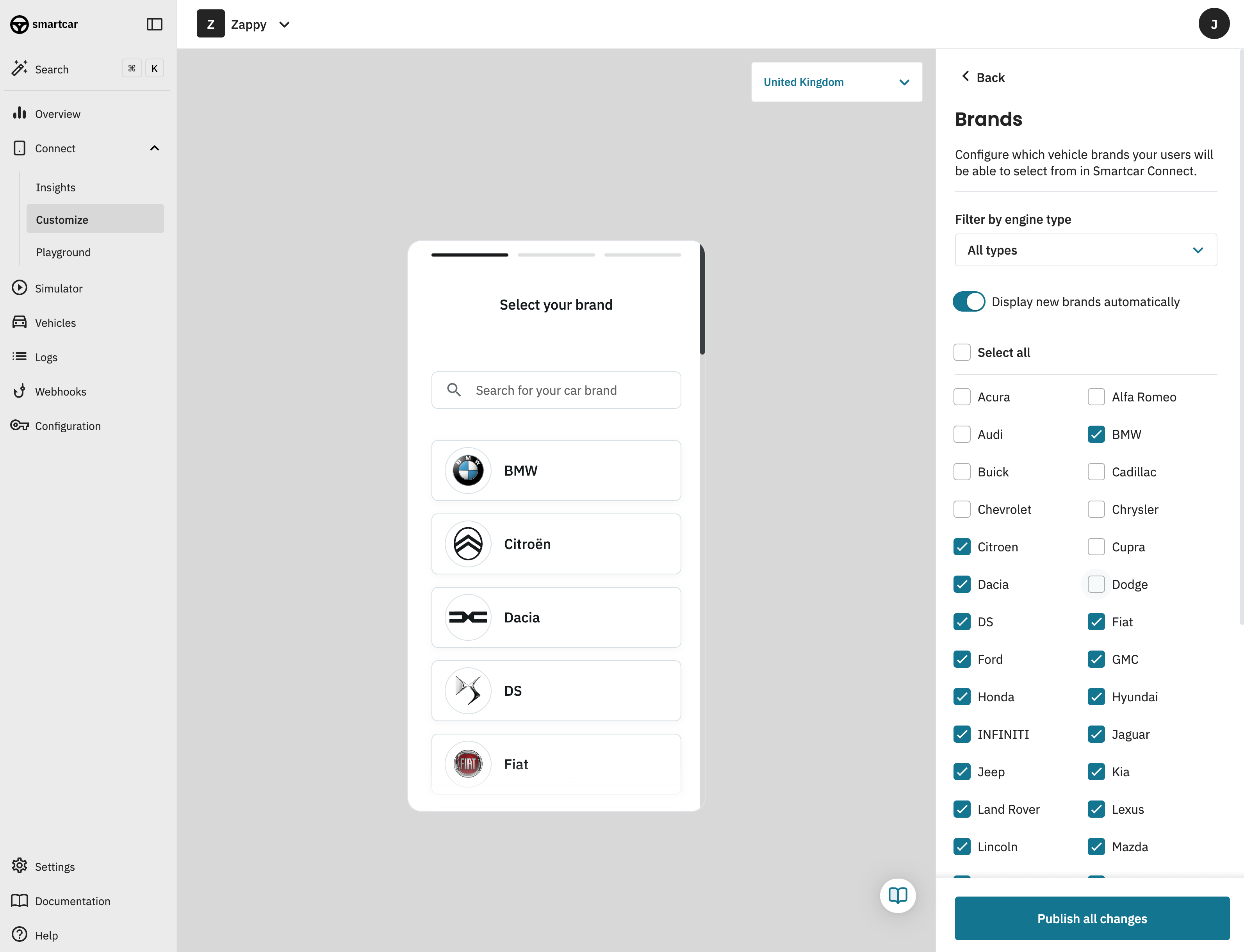
You can customize the brands that are displayed in the Smartcar Connect flow. This includes:
* **Brand Selection**: Select which brands are displayed in the Smartcar Connect flow. All brands supported by Smartcar are enabled by default.
* **Engine type filter**: Select which brands are displayed in the Smartcar Connect flow based on supported engine types (Internal Combustion Engine, Hybrid Electric, Plug-in Hybrid, Battery Electric).
* **Display new brands automatically**: Automatically display new vehicle brands in the Smartcar Connect flow when they become available. This is enabled by default.
### Brands
You can customize the brands that are displayed in the Smartcar Connect flow. This includes:
* **Brand Selection**: Select which brands are displayed in the Smartcar Connect flow. All brands supported by Smartcar are enabled by default.
* **Engine type filter**: Select which brands are displayed in the Smartcar Connect flow based on supported engine types (Internal Combustion Engine, Hybrid Electric, Plug-in Hybrid, Battery Electric).
* **Display new brands automatically**: Automatically display new vehicle brands in the Smartcar Connect flow when they become available. This is enabled by default.
 ### Countries
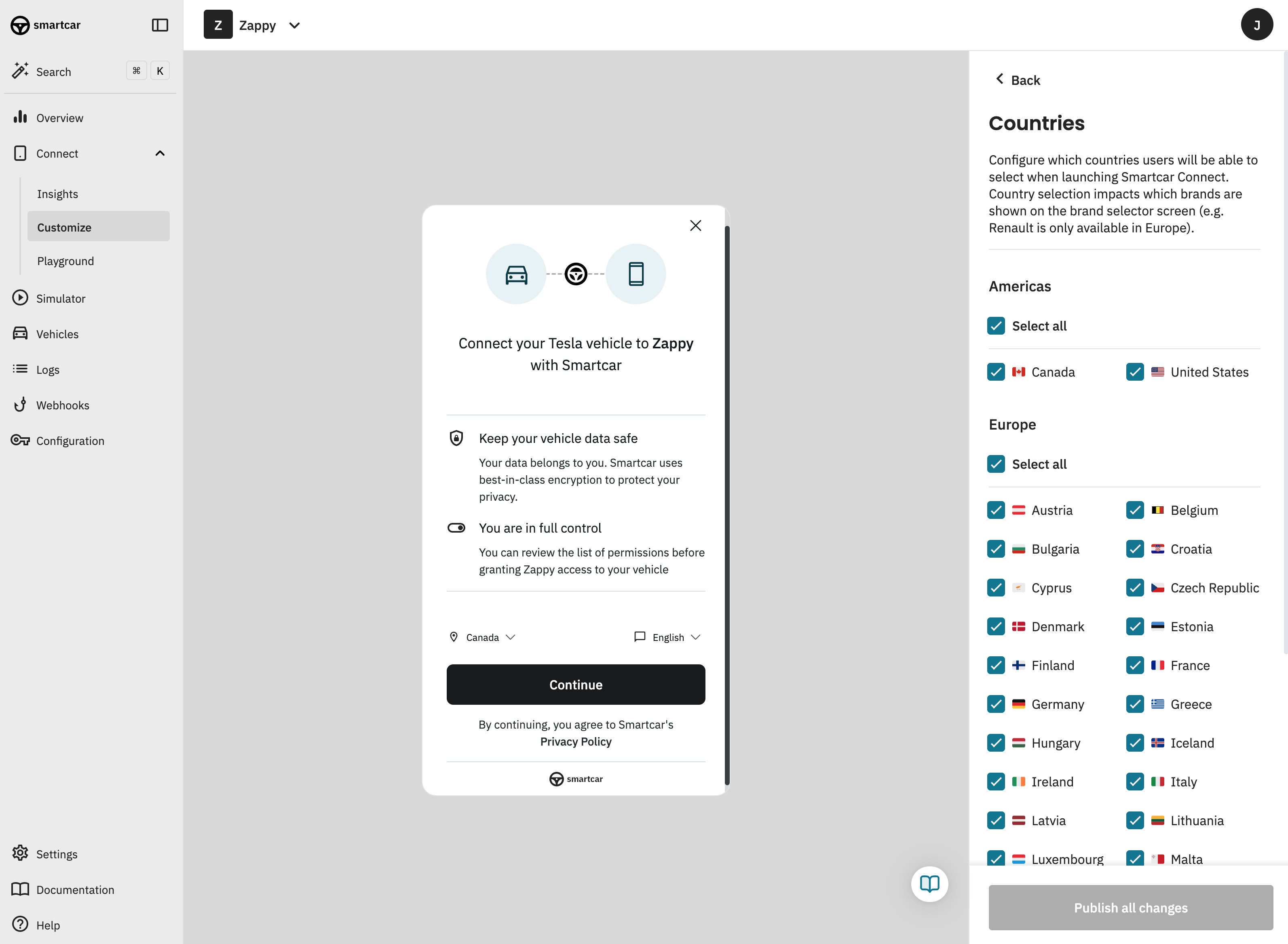
You can customize the countries that are displayed in the Smartcar Connect flow.
### Countries
You can customize the countries that are displayed in the Smartcar Connect flow.