> ## Documentation Index
> Fetch the complete documentation index at: https://smartcar.com/docs/llms.txt
> Use this file to discover all available pages before exploring further.
# What is Connect?
Smartcar Connect is the fastest and most transparent way to collect user consent. Before you can make API requests to a car, your customer needs to link the vehicle to your app. It’s a simple process for your users to enroll their vehicles:
1. Select the car brand
2. Sign in
3. Give consent
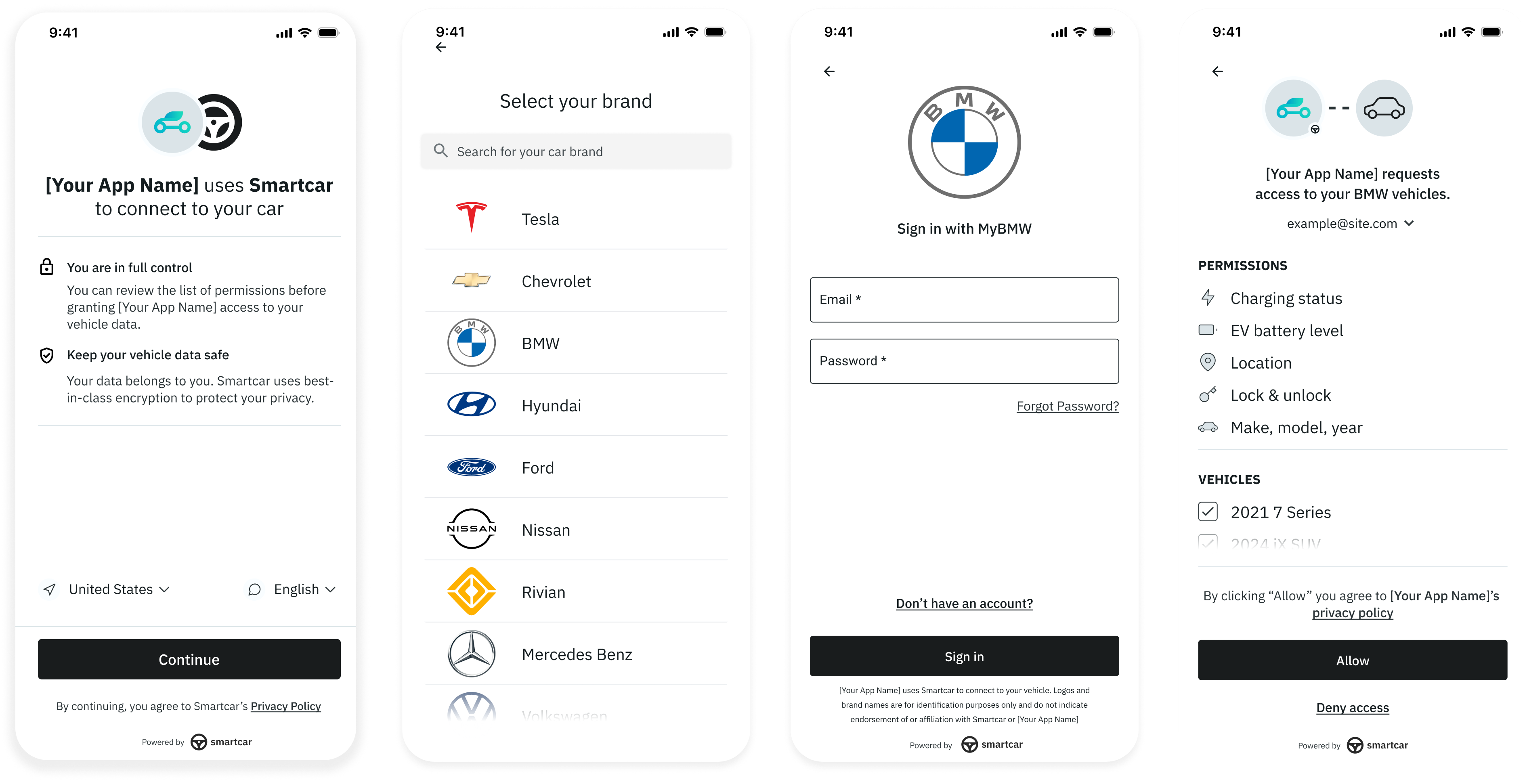 From your app, you'll [redirect your users to Connect](/connect/redirect-to-connect), and [handle the response](/connect/handle-the-response) once the user completes or exits the Connect flow. You'll receive a `user_id` that identifies this user's vehicle connection, which you'll store and use as the `sc-user-id` header when making API requests.
We have designed Connect in compliance with the OAuth2 authorization protocol, safely handling all user information.
Connect comes with robust configurations to fit your needs and frontend [SDKs](/connect/connect-sdks) for faster integration.
From your app, you'll [redirect your users to Connect](/connect/redirect-to-connect), and [handle the response](/connect/handle-the-response) once the user completes or exits the Connect flow. You'll receive a `user_id` that identifies this user's vehicle connection, which you'll store and use as the `sc-user-id` header when making API requests.
We have designed Connect in compliance with the OAuth2 authorization protocol, safely handling all user information.
Connect comes with robust configurations to fit your needs and frontend [SDKs](/connect/connect-sdks) for faster integration.