> ## Documentation Index
> Fetch the complete documentation index at: https://smartcar.com/docs/llms.txt
> Use this file to discover all available pages before exploring further.
# Country Selection
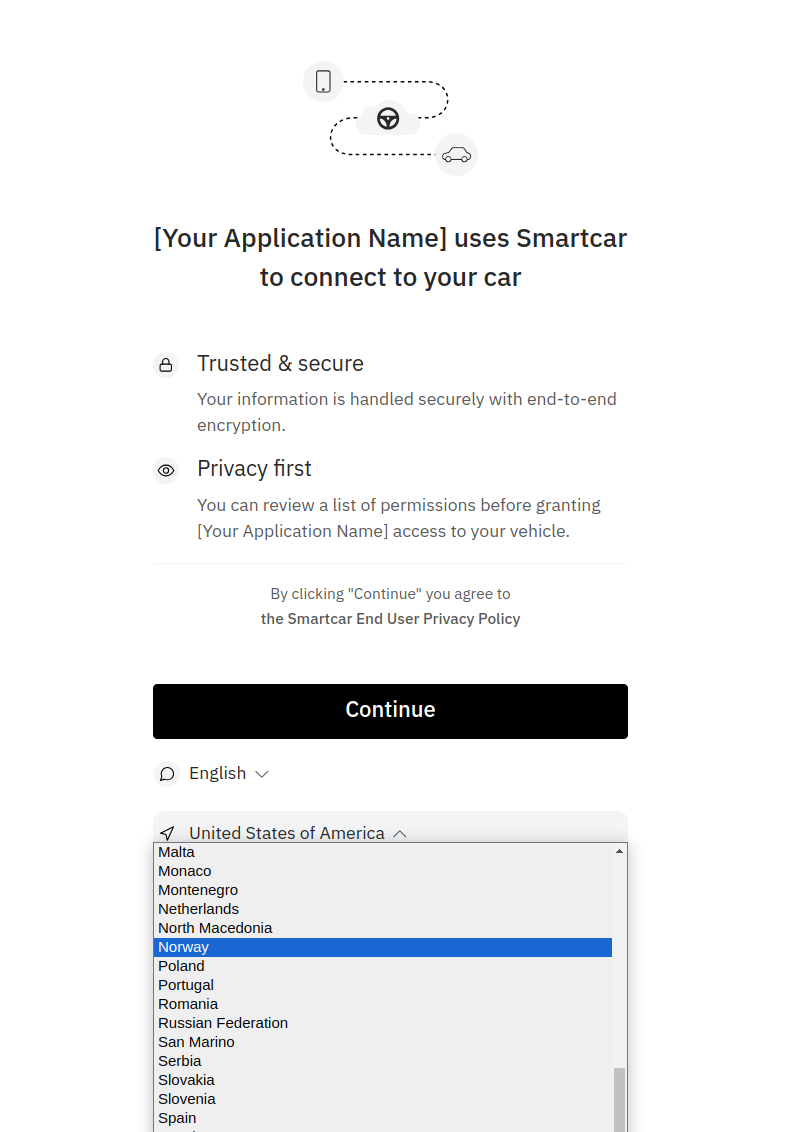
> By default Connect will launch based on the devices location impacting the brands that are available to the user e.g. Renault is only available in Europe.
You can override this behavior by passing a country feature flag in your Connect URL in the form `country:{country_code}`.
Your feature flag should contain the [two-character ISO country code](https://en.wikipedia.org/wiki/ISO_3166-1_alpha-2)
of the country that your user is located in.
Our SDKs provide ways for you to add this as part of the various `authUrlBuilder` or `getAuthUrl` methods.
```plaintext Connect URL w/ country feature flag theme={null}
https://connect.smartcar.com/oauth/authorize?
response_type=code
&client_id=8229df9f-91a0-4ff0-a1ae-a1f38ee24d07
&scope=read_odometer read_vehicle_info
&redirect_uri=https://example.com/home
&flags=country:GB
```
Alternatively, your users can manually change their country and language on Connect's preamble screen: